Creative Pencil Sketch1.2
Publisher Description
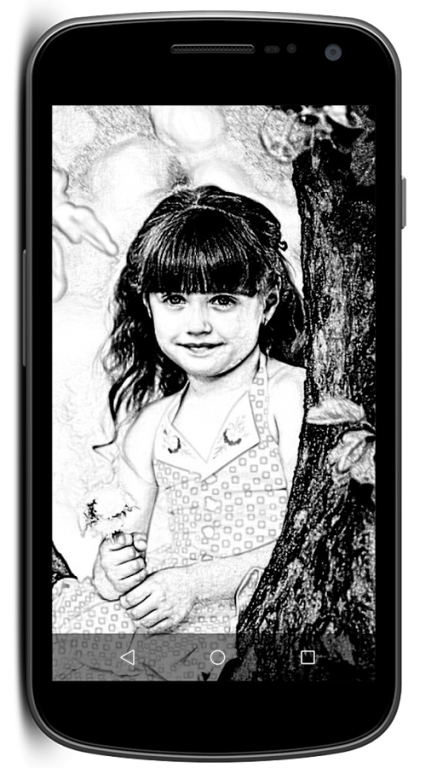
> Creative Pencil Sketch is the best app to create amazing pencil sketch effect of your pictures. This free sketch application is enriched with the high and best quality photo sketch effect for creating the most adorable sketches. Just click one button and transform your photo or any kind of image into an amazing realistic pencil sketch like made by the artists.
> In this app user can change photo in to real pencil sketch with great black and white pencil without pencil and paper. Easy to use and this app makes you an artist by creating a pencil sketch of your photos, it includes many useful and quick manipulations of your photos, such as drawing.
> This app, Creative Pencil Sketch comes very close to the hand drawn works of a human artist. Just capture picture from camera or import from gallery to create sketch of your photo. This android sketching tool works great without any complications and carry out for you a beautiful pencil drawing effect.
> A user friendly app to make you an artist by creating pencil sketch of your photos. Black and White sketch results can be easily created by just one button click. Creative Pencil Sketch is an awesome app to turn a photo in to a pencil sketch. Draw over the image by selecting the draw option. Choose the pencil, select the size and color that you want for the line stroke.
> The Sketch effect creates accurate results with smooth edges and curves, which suits for human portrait photos. Several brush sizes are also included in the app so that you can easily apply them to your sketch results and also apply the colors to the drawing. Saving images can be done quickly by a single touch of a button. Sharing your created pics are also supported. Photos can be shared from Social Media like Facebook, Twitter, E-mail etc.
> Creative Pencil Sketch for Android features incredible effects for your images. Transform any images into a super cool pencil sketch image that looks like it was drawn by pencils. Pick the image from your gallery or use the camera feature to take a new picture and use it to apply the pencil sketch effect.
> This application, Creative Pencil Sketch converts any photo into an art of drawing with pencil. Simple and intuitive user interface and gives best pencil effect result in just few seconds. Beautiful sketches with brush paint effects can be done.Click a photo from camera or select an image from Phone Gallery. Choose the Pencil Sketch effect. Share your beautiful pencil sketch on social media with your buddies.
About Creative Pencil Sketch
The company that develops Creative Pencil Sketch is Rams Apps. The latest version released by its developer is 1.2.
To install Creative Pencil Sketch on your Android device, just click the green Continue To App button above to start the installation process. The app is listed on our website since 2017-10-24 and was downloaded 21 times. We have already checked if the download link is safe, however for your own protection we recommend that you scan the downloaded app with your antivirus. Your antivirus may detect the Creative Pencil Sketch as malware as malware if the download link to com.ra.best.pencilesketch is broken.
How to install Creative Pencil Sketch on your Android device:
- Click on the Continue To App button on our website. This will redirect you to Google Play.
- Once the Creative Pencil Sketch is shown in the Google Play listing of your Android device, you can start its download and installation. Tap on the Install button located below the search bar and to the right of the app icon.
- A pop-up window with the permissions required by Creative Pencil Sketch will be shown. Click on Accept to continue the process.
- Creative Pencil Sketch will be downloaded onto your device, displaying a progress. Once the download completes, the installation will start and you'll get a notification after the installation is finished.
Program Details
System requirements
Download information
Pricing
Version History
version 1.2
posted on 2017-10-24
UI Modifications
